
A well-organized kitchen starts with smart inventory management
Quick answer: DineOpen's inventory management software helps restaurants track stock in real time, auto-deduct ingredients on every order, manage suppliers, create purchase orders, scan barcodes, track expiry dates, and get AI-powered reorder suggestions — all from one dashboard. Plans start at ₹899/month ($9.99). Start your free trial →
Running a restaurant without inventory software is like driving with your eyes closed. You are guessing how much stock you have, manually tracking what comes in and goes out, and discovering items have expired only when a customer complains. The result? Food waste eats 5-10% of your revenue, stockouts frustrate customers, and you overpay suppliers because you cannot track prices.
This guide walks you through every feature of DineOpen's inventory management module — what it does, how to set it up, and how it saves you money from day one. Whether you run a single restaurant, a cloud kitchen, or a multi-outlet chain, this is the only inventory guide you will need in 2026.
What You Will Learn in This Guide:
- Stock Dashboard & Real-Time Tracking
- Barcode Scanning — Add Items in Seconds
- Recipe Costing & Auto-Deduction
- Supplier Management & Price Comparison
- Purchase Orders, GRN & Invoice OCR
- Low Stock Alerts & Expiry Tracking
- AI-Powered Reorder Suggestions
- Multi-Location Stock Transfers
- Reports & Analytics
- How to Set Up DineOpen Inventory (Step by Step)
- FAQs
DineOpen Inventory
Try It Free for 7 Days
Stock tracking, recipe costing, supplier management, AI reorder — everything in one dashboard.
Why Every Restaurant Needs Inventory Software in 2026
Before we dive into features, here is why this matters for your bottom line:
| Problem | Without Software | With DineOpen |
|---|---|---|
| Food waste | 8-12% of revenue | Reduced by 30% |
| Stockouts per week | 5-10 items | Near zero (95% accuracy) |
| Time on inventory tasks | 3-4 hours/day | Under 1 hour/day |
| Food cost tracking | Manual spreadsheets | Real-time, automatic |
| Supplier price comparison | Call each supplier | Side-by-side in dashboard |
| Expired items caught | Often too late | Alerts 3-14 days before |
Restaurants using DineOpen Inventory report 20% lower food costs and 2 hours saved per day on inventory tasks. Let us show you exactly how.
1. Stock Dashboard & Real-Time Tracking
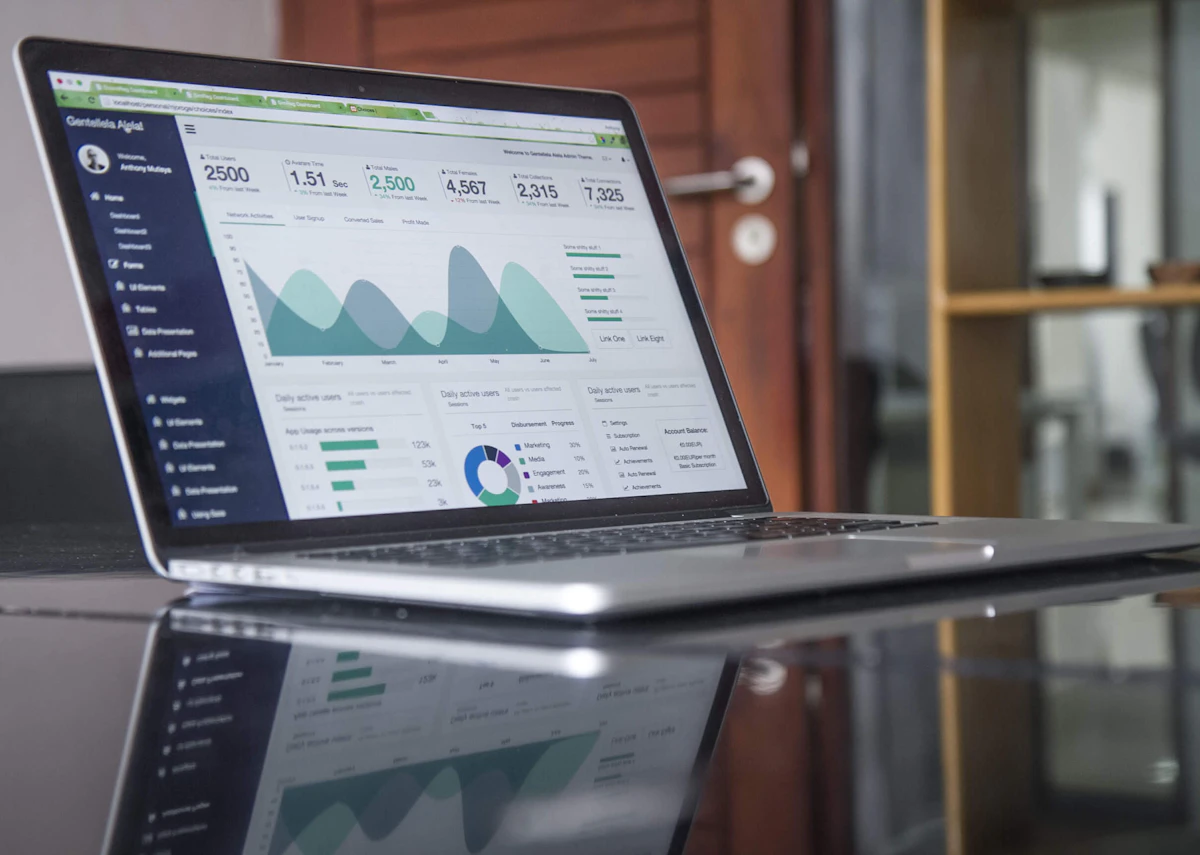
DineOpen's inventory dashboard gives you a complete view of your stock at a glance
The moment you log in, DineOpen shows you a real-time snapshot of your entire inventory:
Every item in your kitchen, counted
Items below reorder point
Items expiring this week
Total inventory cost
What You See on the Dashboard
- Stock received today — what came in from suppliers
- Stock consumed today — what was used in orders
- Top 10 consumed items — your highest-usage ingredients
- Category-wise breakdown — vegetables, dairy, meat, spices, packaging
- Color-coded badges — green (normal), yellow (running low), red (critically low)
Card View vs List View
Switch between two views based on your preference:
- Card view — visual cards with item images, stock level gauges, and category labels. Great for a quick visual scan.
- List view — compact table with columns for SKU, current stock, unit, reorder level, supplier, and cost. Ideal for power users managing large inventories.
You can filter items by category, supplier, or stock status (low, normal, overstock). Search by item name, SKU, or barcode to find anything in seconds.
2. Barcode Scanning — Add Items in Seconds

Scan barcodes with your phone camera or a USB/Bluetooth scanner
Typing item details manually is slow and error-prone. DineOpen lets you scan barcodes to:
- Add new items — scan the barcode, and the item name and details auto-populate
- Check stock levels — scan any item to instantly see current stock, reorder point, and last purchase price
- Record goods received — scan items as they arrive from suppliers for instant GRN creation
- Physical stock counts — walk through your kitchen scanning items instead of writing on paper
Works with any device: Use your phone's camera, a USB barcode scanner, or a Bluetooth scanner. No special hardware required — your existing smartphone is enough to get started.
Voice Recognition for Stock Entry
Hands full during a stock count? DineOpen supports voice commands in English and Hindi. Say "Tomatoes, 25 kilograms" and the system records it. Faster than typing, fewer errors, and works great during busy receiving hours.
3. Recipe Costing & Auto-Deduction
This is where inventory management gets powerful. Instead of just tracking stock, DineOpen connects your recipes to your inventory — so every order automatically deducts the right ingredients.

Every recipe is linked to inventory — order a dish and ingredients auto-deduct
How Recipe Costing Works
- Create a recipe — select ingredients from your inventory and set exact quantities (200g chicken, 50ml oil, 10g spice mix)
- Cost calculates automatically — DineOpen multiplies each ingredient quantity by its current purchase price to show your exact recipe cost
- Food cost percentage displays — see the recipe cost as a percentage of the selling price. Industry benchmark is 28-35%. Items above this are flagged in red.
- Link to menu — connect the recipe to a POS menu item. Every time that dish is ordered, ingredients are deducted from inventory automatically.
Example: Butter Chicken Recipe Cost
| Ingredient | Qty | Unit Cost | Cost |
|---|---|---|---|
| Chicken | 250g | ₹220/kg | ₹55 |
| Butter | 50g | ₹500/kg | ₹25 |
| Cream | 30ml | ₹300/L | ₹9 |
| Tomato puree | 100g | ₹80/kg | ₹8 |
| Spice mix | 15g | ₹800/kg | ₹12 |
| Total Recipe Cost | ₹109 | ||
| Selling Price | ₹350 | ||
| Food Cost % | 31.1% ✓ | ||
Sub-Recipes
Many dishes share base preparations — a gravy base, a marinade, a dough. DineOpen lets you create sub-recipes (like "Makhani Gravy" or "Tandoori Marinade") and use them as ingredients in multiple main recipes. Update the sub-recipe cost once, and it cascades through every dish that uses it.
Portion Control & Scaling
Define standard portion sizes. Need to scale a recipe for a party of 50? DineOpen multiplies all ingredients while maintaining the correct ratios. This ensures consistency across shifts and reduces waste from guesswork.
Modifier-Aware Deductions
Customer orders butter chicken with extra cheese and no onions? DineOpen adjusts the ingredient deduction automatically. Extra cheese adds to dairy deduction. No onions skips the onion deduction. Your actual stock always matches what was really used.
Know Your Exact Food Cost on Every Dish
DineOpen calculates recipe costs automatically. See which dishes make money and which ones drain your profits.
4. Supplier Management & Price Comparison
Track all your suppliers, compare prices, and make smarter purchasing decisions
Your suppliers determine your food cost. DineOpen helps you manage them intelligently.
Supplier Directory
Store all your supplier details in one place:
- Company name, contact person, phone, email
- Physical address and delivery schedule
- GSTIN for GST-compliant invoicing
- Bank details for payment tracking
- Category tags — vegetables, dairy, meat, packaging, beverages
- Special arrangements and notes
Supplier Performance Tracking
DineOpen automatically tracks four key metrics for each supplier:
On-time delivery %
Price variation over time
Based on returns/rejections
Order completion %
Price Comparison Across Suppliers
Link multiple suppliers to the same item. DineOpen shows you a side-by-side comparison of unit price, minimum order quantity, delivery time, and quality score for each supplier. Pick the best option for every purchase — save 15-20% on procurement over time.
Payment Term Management
Configure payment terms per supplier: Cash on Delivery, 7-day credit, 15-day credit, 30-day credit, or custom terms. DineOpen tracks outstanding payments, sends due date alerts, and maintains payment history for reconciliation.
Returns & Quality Tracking
Log returns with reason codes — quality issue, wrong item, damaged goods, short delivery, expired items. Returns automatically affect the supplier's quality score. Generate return reports for dispute resolution with full evidence.
5. Purchase Orders, GRN & Invoice OCR
The complete procurement cycle — from ordering to receiving to invoice matching — all automated.

Create, send, and track purchase orders — from creation to delivery to payment
Creating Purchase Orders
- Select a supplier from your directory
- Add items and quantities — DineOpen suggests optimal quantities based on current stock, consumption patterns, and reorder points
- Set expected delivery date and add notes
- Send the PO via WhatsApp, email, or print
PO Status Tracking
Track every purchase order through its lifecycle:
GRN (Goods Received Note)
When stock arrives, create a GRN against the purchase order:
- Compare ordered vs received quantities
- Note discrepancies and damaged items
- Record expiry dates during receiving
- Stock levels update automatically on GRN approval
Invoice OCR — Scan Supplier Invoices
Game-changing feature: Upload a photo or PDF of your supplier's invoice. DineOpen's OCR extracts item names, quantities, prices, tax amounts, and totals automatically. It matches extracted data to your inventory items and corresponding PO. Discrepancies are highlighted. One click to approve and create GRN entries.
Three-Way Matching
DineOpen automatically matches three documents to prevent overpayment:
- Purchase Order — what you ordered
- GRN — what you received
- Supplier Invoice — what you are being charged
Any mismatch in quantity, price, or items is flagged for review. This prevents phantom inventory and ensures you only pay for what you actually received.
Recurring Purchase Orders
Set up recurring POs for regular orders — daily milk delivery, weekly vegetable order, monthly packaging restock. DineOpen auto-generates the PO on schedule with preset items and quantities. Modify before sending or let it go automatically.
Stop Losing Money to Supplier Overcharges
Three-way matching catches every discrepancy. Invoice OCR saves hours of manual data entry.
6. Low Stock Alerts & Expiry Tracking
Never run out of a key ingredient during dinner rush. Never serve expired food.
Low Stock Alerts
Set a minimum stock level (reorder point) for each item. When stock drops below that level, DineOpen sends alerts through:
- Dashboard — red badges and prominent warnings
- WhatsApp — instant notification to your phone
- Email — daily or real-time alerts
Real scenario: It is 6 PM on a Saturday. Your paneer stock drops below 2 kg — enough for maybe 8 more orders. DineOpen sends a WhatsApp alert: "Paneer stock low — 1.8 kg remaining. Estimated to last 2 hours at current pace. Reorder now?" You call your supplier and get restocked before the dinner rush hits.
Expiry Date Tracking
- Record expiry dates when receiving goods (during GRN creation)
- Set alert windows — get warned 3, 7, or 14 days before expiry
- FIFO enforcement — system highlights older stock to use first
- Expired items flagged automatically — prevents serving expired food
Restaurants using DineOpen's expiry tracking report a 30% reduction in food waste — that is money that was going straight into the garbage.
7. AI-Powered Reorder Suggestions

AI analyzes your consumption patterns and suggests exactly what to order and when
This is the feature that separates DineOpen from spreadsheets and basic inventory tools. DineOpen's AI learns your restaurant's patterns and makes intelligent suggestions.
Smart Reorder Suggestions
The AI analyzes:
- Historical consumption data (what you use daily, weekly, monthly)
- Current stock levels
- Supplier lead times (how long delivery takes)
- Seasonal patterns and day-of-week variations
Then it gives you specific, actionable suggestions:
AI Suggestion Example:
"Order 50 kg tomatoes by Thursday. Current stock: 18 kg. Average daily usage: 12 kg. Current stock will last until Saturday morning. Supplier lead time: 1 day. Best price: ₹40/kg from Ramesh Vegetables (vs ₹45/kg from Fresh Farm)."
After 2-3 months of data, suggestions reach 85-90% accuracy. You can create a purchase order from a suggestion with one click.
Waste Prediction & Prevention
The AI combines expiry dates with consumption rates to predict which items will expire before you use them:
"15 kg chicken expires in 3 days. At current consumption (8 kg/3 days), 7 kg will go to waste (estimated loss: ₹1,540). Consider running a chicken special or freezing excess stock."
Seasonal & Event Awareness
DineOpen learns from historical data and auto-adjusts suggestions for:
- Festivals — order more paneer before Navratri, more meat before Eid, more cake ingredients before Christmas
- Weekends — increase stock for Friday-Saturday rush
- Weather changes — more cold beverages in summer, more soups in winter
- Local events — cricket matches, festivals, college events nearby
Cost Optimization Insights
The AI also identifies cost-saving opportunities:
- Bulk purchase suggestions when prices are low
- Alternative ingredient recommendations when usual items are expensive
- Supplier switching recommendations based on price trends
Restaurants following AI suggestions report 15-20% reduction in ingredient procurement costs.
8. Multi-Location Stock Transfers
Run more than one outlet? DineOpen tracks inventory independently per location while giving you consolidated visibility.
- Stock transfers — transfer items between locations with full tracking
- Internal requisitions — kitchen can request items from central storage
- Consolidated reporting — view total stock across all locations or drill down to individual outlets
- Cross-location analysis — compare consumption patterns between outlets to identify inefficiencies
This is especially useful for cloud kitchens running multiple brands from shared storage, or restaurant chains that need to balance stock across outlets.
9. Reports & Analytics
Data is only useful if you can act on it. DineOpen provides comprehensive inventory reports:
Stock Valuation
Total value of inventory on hand, broken down by category
Consumption Trends
Usage patterns by day, week, month. Rising vs falling demand items.
Wastage Reports
What was wasted, when, and why — by category
Variance Analysis
Actual vs theoretical usage — catch theft and over-portioning
Supplier Reports
Payment history, performance scores, price trends per supplier
Stock Movement
Complete audit trail — every stock in, stock out, and adjustment
Export any report as Excel, CSV, or PDF. Schedule automated weekly reports to your email. Share with your accountant for GST filing.
Physical Stock Counting
Conduct periodic stock audits:
- Start a count session in DineOpen
- Scan items or enter actual quantities manually
- DineOpen calculates variance against system stock
- Review and approve variances
- System stock adjusts to match physical count
Count history is maintained for audit trails and compliance.
10. How to Set Up DineOpen Inventory (Step by Step)

Get started with DineOpen Inventory in under 30 minutes
Step 1: Sign Up & Add Your Items
Create your DineOpen account (free 7-day trial). Go to Inventory → Items. Add your ingredients one by one, or scan barcodes for faster entry. For each item, set:
- Item name, SKU, category
- Unit of measure (kg, g, ml, pieces)
- Current stock quantity
- Minimum stock level (reorder point)
- Purchase price
Step 2: Add Your Suppliers
Go to Inventory → Suppliers. Add each supplier with their contact details, GSTIN, payment terms, and the items they supply. Link items to their respective suppliers so you can compare prices and create POs quickly.
Step 3: Create Your Recipes
Go to Inventory → Recipes. Build each dish by selecting ingredients and setting exact quantities. DineOpen calculates the recipe cost automatically. Link each recipe to its corresponding menu item for auto-deduction.
Step 4: Configure Alerts
Set up low stock alerts via WhatsApp and email. Configure expiry alert windows (3, 7, or 14 days). Enable AI reorder suggestions to start learning your patterns.
Step 5: Start Taking Orders
Once recipes are linked to menu items, every order placed through your POS, QR menu, or Zomato/Swiggy automatically deducts the correct ingredients. Your stock levels stay accurate in real time.
Most restaurants complete setup in under 30 minutes. Our team can help — book a free demo.
Pricing
DineOpen Inventory is included with your DineOpen subscription. No extra charges for inventory features.
Starter
- ✓ Stock tracking
- ✓ Item management
- ✓ Category filtering
- ✓ Basic reports
- ✓ Barcode scanning
Growth
- ✓ Everything in Starter
- ✓ Recipe costing & auto-deduction
- ✓ Purchase orders & GRN
- ✓ Invoice OCR
- ✓ AI reorder suggestions
- ✓ Multi-location transfers
- ✓ Supplier management
Frequently Asked Questions
What is restaurant inventory management software?
Restaurant inventory management software is a digital tool that helps restaurants track raw material stock levels, manage suppliers, create purchase orders, cost recipes, and prevent food waste. It replaces manual spreadsheets and pen-paper tracking with automated, real-time inventory control. DineOpen is a complete restaurant inventory management solution that includes stock tracking, recipe costing, supplier management, purchase orders with OCR, AI reorder suggestions, and multi-location support.
How does auto-deduction work when an order is placed?
When you create a recipe in DineOpen and link it to a menu item, every time that dish is ordered through the POS, QR menu, Zomato, or Swiggy, the ingredients are automatically deducted from inventory. For example, if butter chicken requires 250g chicken, 50g butter, and 30ml cream, those exact quantities are subtracted from stock when a customer orders butter chicken. Modifiers like "extra cheese" or "no onions" adjust the deduction accordingly.
Can I scan barcodes with my phone?
Yes. DineOpen uses your phone's camera to scan barcodes. You can also use USB or Bluetooth barcode scanners. Scanning works for adding new items, checking stock levels, recording goods received, and conducting physical stock counts. No special hardware is required.
How accurate are AI reorder suggestions?
AI reorder suggestions reach 85-90% accuracy after 2-3 months of usage data. The AI analyzes your historical consumption, current stock levels, supplier lead times, seasonal patterns, and day-of-week variations to recommend exactly what to order and when. Accuracy improves over time as the system learns your restaurant's unique patterns.
Does DineOpen support multiple restaurant locations?
Yes. DineOpen tracks inventory independently per location while providing consolidated reporting. You can transfer stock between locations, view total stock across all outlets, and compare consumption patterns between branches. This is available on multi-outlet plans.
What is Invoice OCR and how does it help?
Invoice OCR (Optical Character Recognition) lets you upload a photo or PDF of a supplier invoice. DineOpen automatically extracts item names, quantities, prices, and tax amounts. It matches this data to your inventory items and purchase order, highlights discrepancies, and lets you approve with one click. This eliminates manual data entry and catches billing errors.
How much does DineOpen Inventory cost?
DineOpen Inventory is included with all plans. Plans start at $20/month (₹899/month in India) with basic stock tracking. The Pro plan at $99/month includes advanced features like recipe costing, purchase orders, invoice OCR, AI suggestions, and multi-location support. All plans come with a free 7-day trial. See full pricing →
Can I track food cost percentage for each menu item?
Yes. When you create a recipe and set a selling price, DineOpen automatically calculates the food cost percentage (recipe cost / selling price × 100). The industry benchmark is 28-35%. Items exceeding this threshold are flagged in red so you can adjust pricing or ingredients. Use our free food cost calculator to try it now.
Does DineOpen work offline?
Yes. DineOpen caches data locally so you can continue taking orders and tracking inventory during internet outages. Inventory adjustments, stock counts, and recipe deductions work offline. Data syncs automatically when connectivity is restored.
How is DineOpen different from Petpooja or POSist inventory?
DineOpen includes AI-powered reorder suggestions, invoice OCR, voice-based stock entry, and three-way matching (PO vs GRN vs Invoice) — features not available in Petpooja or POSist at comparable price points. DineOpen also charges zero transaction fees and includes all integrations free. Compare: DineOpen vs Petpooja | DineOpen vs POSist
Related Guides & Tools
Start Managing Your Inventory the Smart Way
Join thousands of restaurants using DineOpen to reduce waste, lower food costs, and never run out of stock again.
No credit card required. All features included.
Last updated: April 10, 2026