✅ सीधा जवाब
एक attractive menu card बनाने के लिए — categories wise items रखें, clear pricing दें, high-profit items को highlight करें, और QR menu ज़रूर बनाएं। DineOpen का Free QR Menu Maker से 5 मिनट में digital menu ready करें।
📑 इस गाइड में:
📱 Digital Menu vs Print Menu — कौन बेहतर?
2026 में ये सवाल हर restaurant owner के मन में आता है। सच बात तो ये है कि दोनों ज़रूरी हैं — लेकिन अगर budget tight है तो digital menu से शुरू करें।
Delhi और Chandigarh के premium restaurants दोनों रखते हैं — print menu table पर और QR code भी। लेकिन Lucknow, Patna, और Jaipur के छोटे restaurants के लिए QR menu alone काफी है और budget भी बचता है।
🎨 Attractive Menu Card Design Tips
चाहे print हो या digital — menu design में ये rules follow करें:
1. Categories Clear रखें
Starters, Main Course, Breads, Rice, Beverages, Desserts — categories wise menu organize करें। Customer को item ढूँढने में आसानी हो।
2. Font Selection
Maximum 2-3 fonts use करें। Headings के लिए bold decorative font, items के लिए clean readable font। Hindi menu में Noto Sans Devanagari या Poppins अच्छे options हैं।
3. Color Scheme
Restaurant की theme से match करें। Red और orange colors appetite बढ़ाते हैं — इसलिए ज़्यादातर food brands में red होता है। White background पर dark text — readability best।
4. Photos Add करें
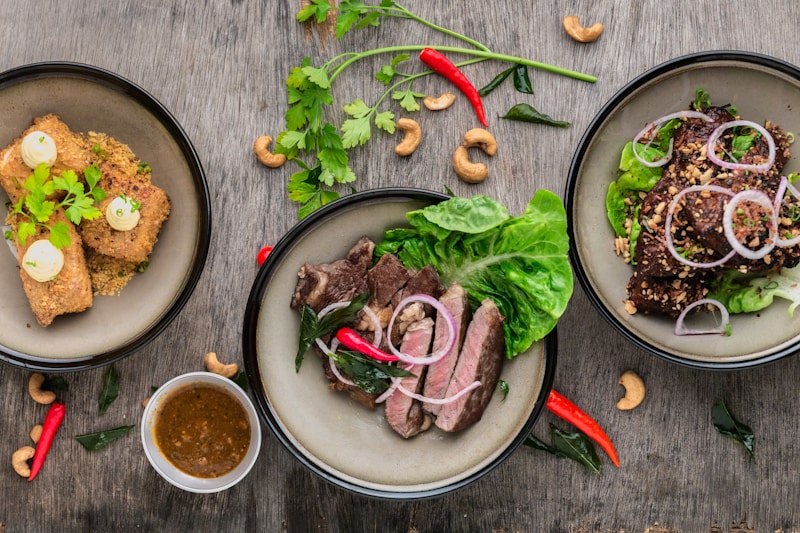
Top-selling 8-10 dishes की high-quality photos ज़रूर डालें। Research बताता है कि menu में photos होने से orders 30% तक बढ़ते हैं। Digital menu में तो unlimited photos free में डाल सकते हैं।
5. Best-sellers Highlight करें
"Chef's Special", "Most Popular", या star icon लगाकर high-profit items को highlight करें। Customer naturally highlighted items order करते हैं।
💡 Pro Tip
Menu में prices को column alignment में रखें — ₹ signs को right align करें। और currency symbol के आगे dots या lines ना डालें, इससे customer compare करता है और सस्ता item order करता है।
💰 Menu Pricing Strategy — सही दाम कैसे रखें
Menu pricing restaurant business की backbone है। गलत pricing से या तो customers भागेंगे या profit नहीं होगा।
Golden Rule: Food Cost x 3 = Minimum Selling Price
अगर Paneer Butter Masala बनाने में ₹60 लगते हैं, तो selling price कम से कम ₹180 रखें। Ideal food cost 30-35% होनी चाहिए। Detail formula और calculation food cost guide में पढ़ें।
Pricing Psychology Tips:
- ₹199 vs ₹200 — ₹199 psychologically सस्ता लगता है (charm pricing)
- Anchor Pricing — Menu में एक premium item रखें (₹599 की dish) ताकि बाकी items reasonable लगें
- Bundle Deals — Combo meals बनाएं: "Thali ₹249" — individual items से ज़्यादा orders आते हैं
- Competitor Check — आस-पास के restaurants की pricing ज़रूर देखें, लेकिन blindly copy ना करें
📲 QR Menu कैसे बनाएं (Free)
QR menu बनाना अब बहुत easy है। DineOpen का Free QR Menu Maker use करें — 5 simple steps:
- Sign Up करें — DineOpen पर free account बनाएं
- Restaurant Details डालें — Name, logo, contact info
- Menu Items Add करें — Categories बनाएं, items add करें, photos upload करें
- QR Code Generate करें — Automatic QR code मिलेगा
- Print और Display करें — हर table पर, counter पर, और door पर QR code लगाएं
QR menu की detail guide यहाँ पढ़ें — step-by-step screenshots के साथ।
📊 Menu Engineering — Stars, Puzzles, Workhorses, Dogs
Menu engineering एक proven framework है जो हर dish को 4 categories में बाँटता है — popularity और profitability के basis पर:
- ⭐ Stars — High Profit + High Popularity → ये आपके heroes हैं, इन्हें menu में prominent जगह दें और promote करें
- 🧩 Puzzles — High Profit + Low Popularity → Profit अच्छा है but लोग order नहीं करते। Photos add करें, waiter को recommend करने बोलें
- 🐴 Workhorses — Low Profit + High Popularity → लोग बहुत order करते हैं but profit कम है। Price slightly बढ़ाएं या portion adjust करें
- 🐕 Dogs — Low Profit + Low Popularity → ना profit, ना orders। इन्हें menu से हटा दें या completely revamp करें
हर quarter अपना menu data analyze करें। DineOpen का sales report बताता है कौन सी dish कितनी बिकी — इसी data से menu engineering करें। Restaurant profit बढ़ाने में menu engineering बहुत काम आता है।
🚀 DineOpen से Menu Management
DineOpen का menu management module आपके menu को smart बनाता है:
- Digital Menu Builder — Drag & drop से menu बनाएं, photos add करें
- Real-time Updates — Price change, item unavailable — instant update, कोई reprint नहीं
- QR Code Integration — Automatic QR code generation, customer phone से order भी कर सकता है
- Sales Analytics — कौन सा item कितना बिका, peak hours कौन से, combo suggestions
- Multi-language Support — Hindi और English दोनों में menu दिखाएं
Jaipur और Delhi के कई restaurants DineOpen का menu management use कर रहे हैं। Free plan में शुरू करें, upgrade बाद में करें।